How to use our Photo Gallery
Our family photos are kept in a private library called Immich. You can view them in your web browser or by downloading the official app to your phone.
1 Getting Started
🌐 Using a Web Browser: (On your computer or phone)
Tap or click here to go to the photos: photos.bunnyhaus.com
 Downloading the Official Phone App:
- Open the App Store (iPhone) or Play Store (Android).
- Search for "Immich" and Install it.
- Open the app and it will ask for a Server URL. Tap the box below to copy it, then paste it into the app:
https://immich.bunnyhaus.com
Tap to Copy
Signing In: Use the Email and Password Bunny gave you. Once logged in, the app will remember you!
2 Finding Family Members (Faces)
The library automatically groups photos by the people in them!
💻 On a Web Browser: Click the Explore button in the sidebar to see the faces.
📱 In the Phone App: Tap the Library icon at the bottom, then tap on People.
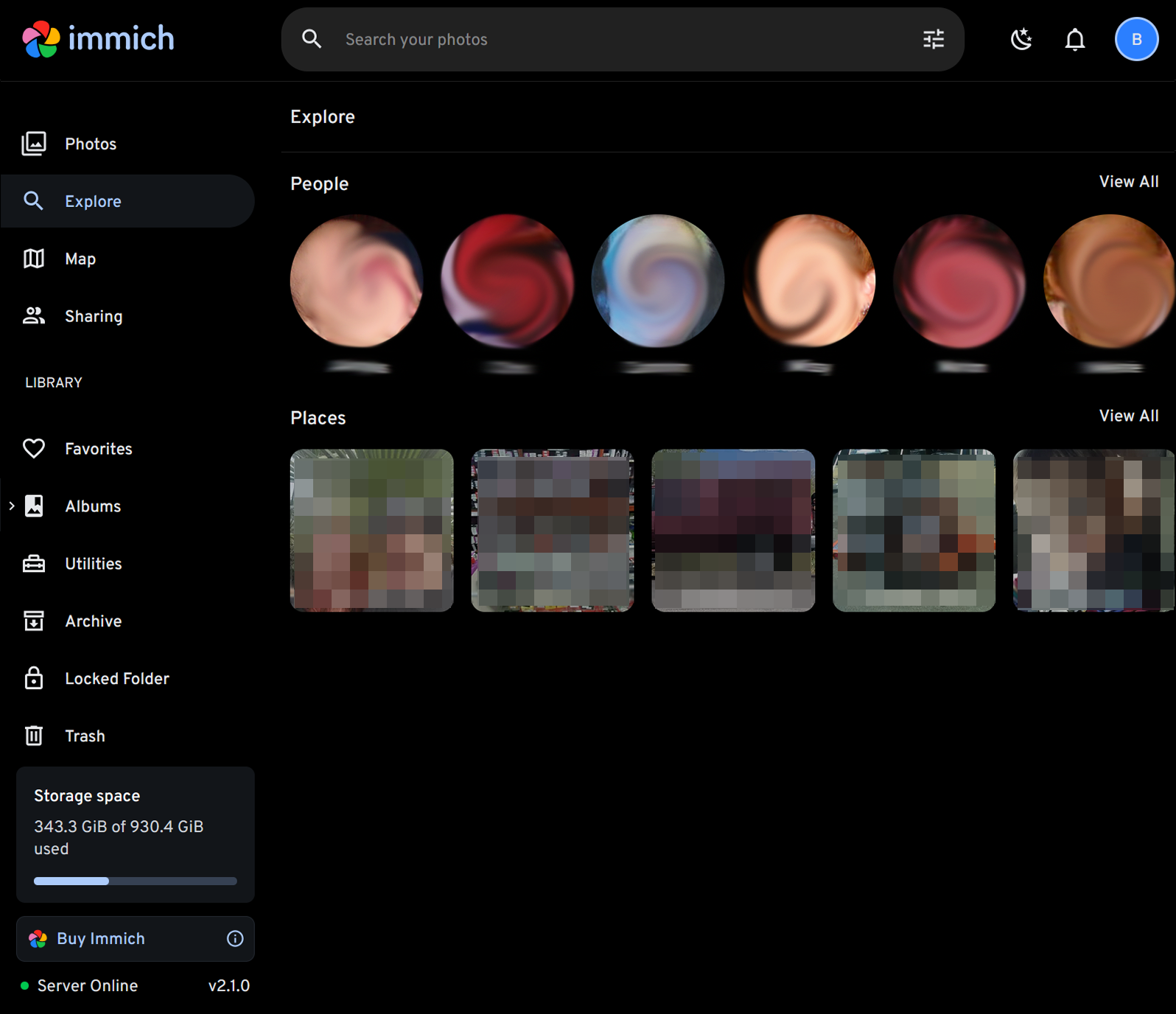
Click "Explore" on a Computer
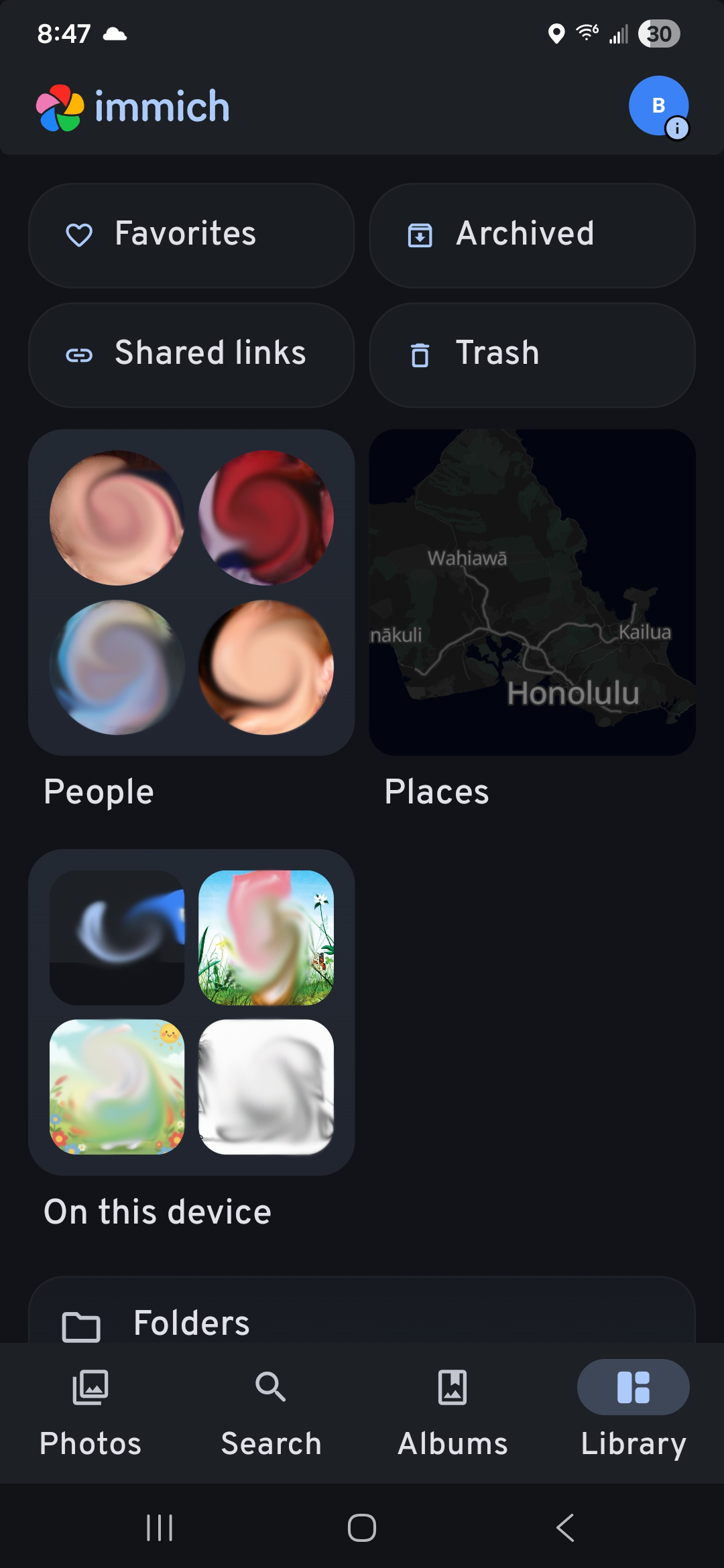
Tap "Library" then "People" on Phone
3 Shared Family Albums
Look for the Albums tab. This is where we put shared collections like "Vacations" or "Roo's Best Moments."
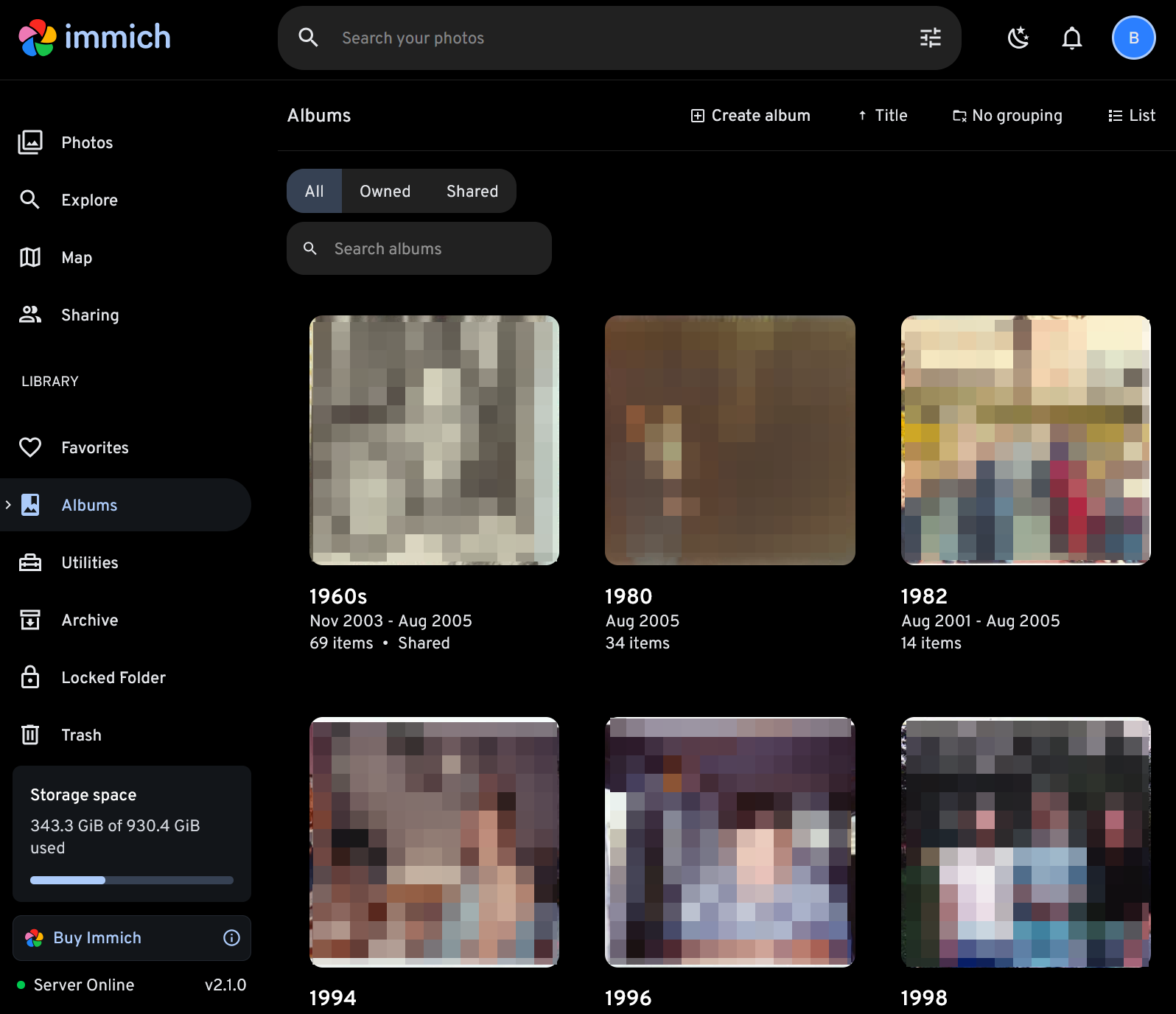
Have photos to share?
If you have photos from a family event you'd like to add, please let Bunny know! I can help you upload them so everyone can see.